
Overview
A Skill Dynamics certificate is issued after the learner has completed the requirements for an eligible learning plan or training milestone. In some cases, learners may also request a Certificate of Professional Development (CPD) for eligible courses completed from the Catalogue.
If the feature is enabled for your organisation, certificates that have already been issued by email can also be accessed later from the My Certificates tab on the platform.
Applies to
• Learners who have completed an eligible learning plan, training milestone, or qualifying Catalogue learning.
• Managers and Academy Coordinators who support learner completion and certificate distribution.
Before you start
• Certificate delivery can vary depending on the customer process agreed during setup.
• The certificate may be sent directly to the learner, to the learner with the manager and/or Academy Coordinator in CC, or only to the manager or Academy Coordinator so they can share it with the learner.
When certificates are sent
1. Complete the required learning activity. The learner must complete the learning plan or training milestone linked to the certificate. In some cases, learners may also request a CPD certificate for eligible courses completed from the Catalogue.
2. Certificate eligibility is checked. The completed activity is reviewed against the certificate process, the customer setup, and whether certificates form part of the customer package.
3. The e-certificate is issued. Once the learner has met the requirements, Skill Dynamics issues the e-certificate.
4. The certificate is sent using the customer delivery process. Depending on the setup, the e-certificate may be sent to the learner, to the learner with other stakeholders copied, or only to the manager and/or Academy Coordinator.
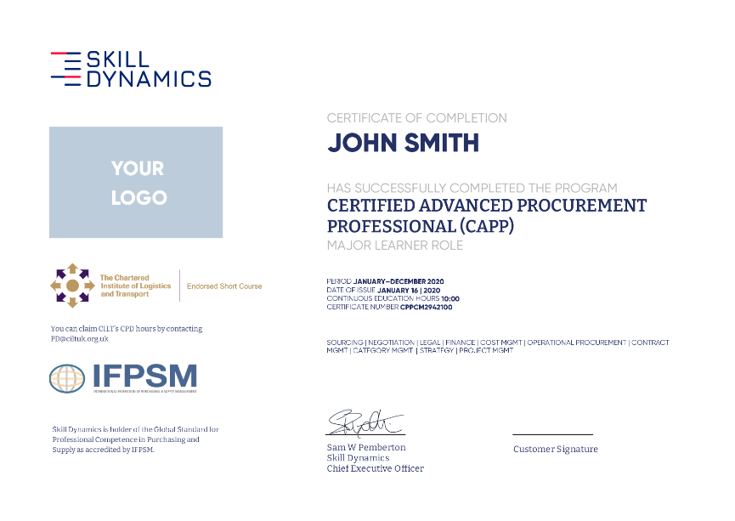
Screenshot: Example of a Skill Dynamics e-certificate.
Accessing your certificate in My Certificates
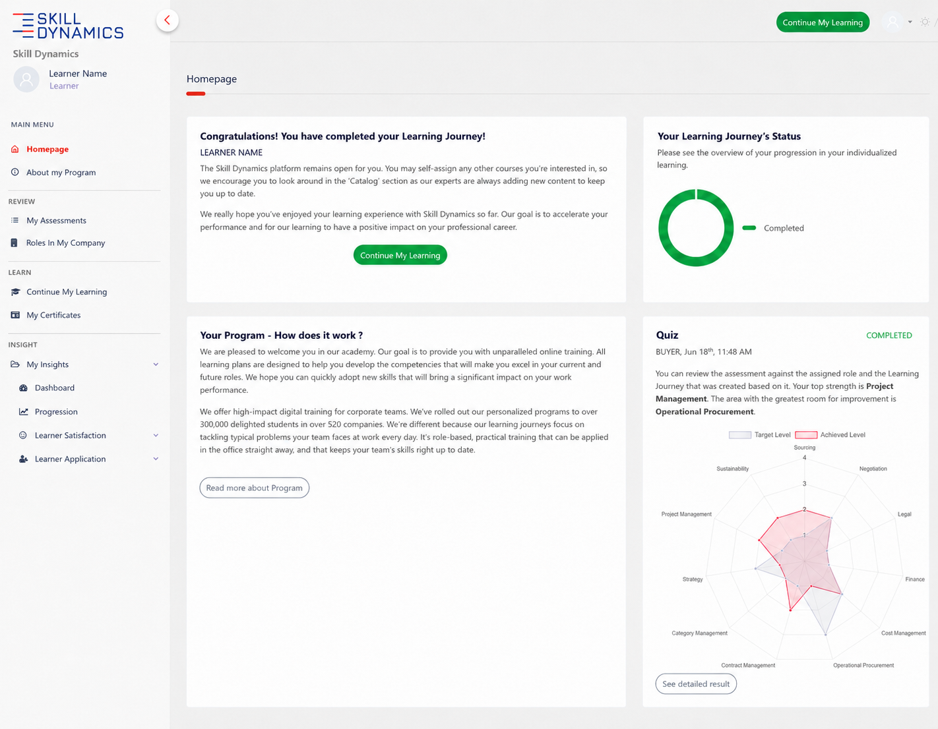
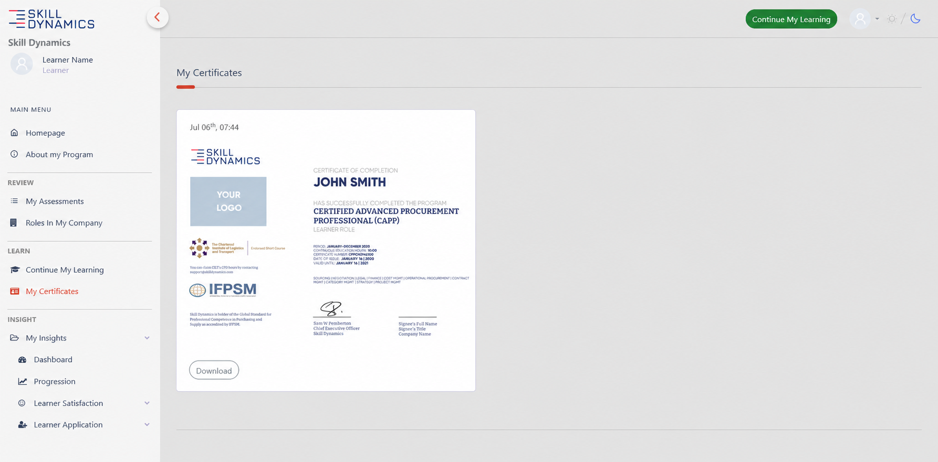
Depending on your organisation’s set-up, a My Certificates tab may be available in the left-hand menu under the Learn section. This tab allows learners to access and download certificates that have already been issued by email.
The My Certificates tab is available only for customers where learners are allowed to receive and access certificates directly.
The tab may not appear if certificates are not included in your organisation’s package, or if the agreed process is for certificates to be sent only to the Academy Coordinator and/or Manager.
Screenshot: Homepage showing where to find the My Certificates tab.
Screenshot: My Certificates page showing an issued certificate available for download.
What to do if you have not received your certificate
• Check the My Certificates tab first if it is visible in your left-hand menu.
• Check your Inbox, Spam, and Junk folders.
• Contact Skill Dynamics Support if you still cannot locate the certificate.
• Ask your manager or Academy Coordinator if certificates are sent to them first as part of your organization’s process.
Information to include when contacting Support
• Your full name.
• Your company name.
• Your registered email address.
• The learning plan or course you completed, if known.