
Overview
You will receive an invitation email from your organization to self-register. Please fill out the required information to create an account. If the email is not found in the Inbox, users should check out their Spam or Junk folders.
Applies to
Learners who have received a Self-registration invitation email from organization.
Before you start
- Look for an email from Skill Dynamics Content Enablers no-reply@contentenablers.com.
- The subject line is: Invite notice Skill Dynamics Content Enablers. (As per the Client email Draft)
- If the email is not in your Inbox, check out your Spam or Junk folder.
Steps to follow
1. Open the invitation email. The email includes a welcome message and instructions to help you get started with self-registration.
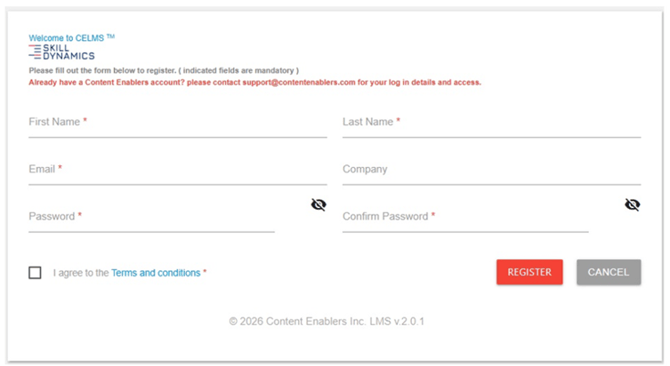
2. Select Finalize Your Profile: User must client on the self-registration URL given in the invitation mail. Users must fill in the registration fields First Name, Last Name, Email, Company (optional), Password and Confirm Password. Check the I agree to the terms and condition and then click on REGISTER.
Screenshot: Self-registration page where learners finalize their profile.
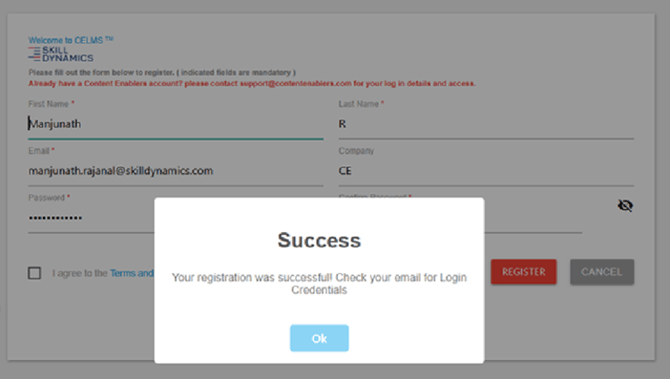
Screenshot: Success alert confirming registration.
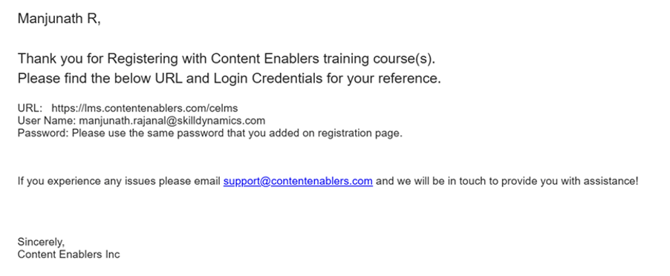
3. Confirm Registration: A confirmation email will be sent to acknowledge that your profile has been finalized.
Screenshot: Confirmation email after registration.
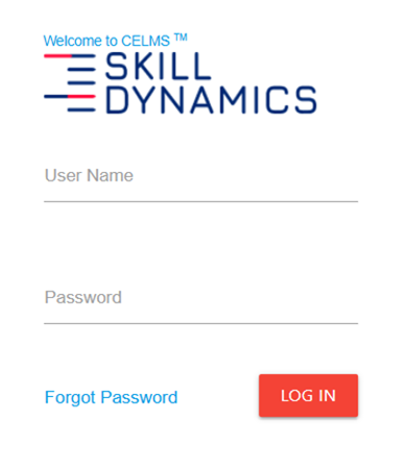
4. Login. Login to the user learning portal.
Screenshot: Login Page
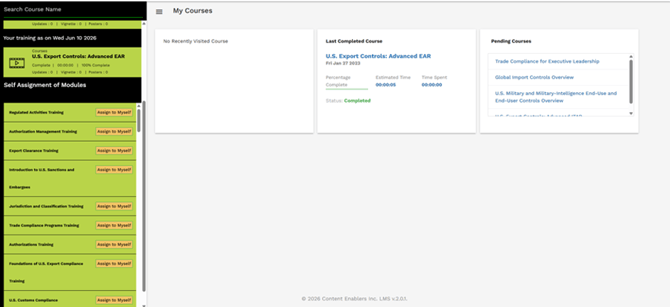
5. User Home Page: After logging in, you will be directed to the user's home page. Users can self-assign from the listed modules and start with training modules.
Screenshot: Self Assignment of Modules
Common reasons you may not be able to continue
- The invitation email is in your Spam or Junk folder.
- One or more registration details need to be updated before you continue.
If you still need help
Please contact Skill Dynamics Content Enablers Support at support@contentenablers.com and include the details below so the team can investigate quickly:
- Invitation email subject line
- Screenshot of the page or message shown
- Full name
- Work email address
- Company name
- Screenshot of the issue or error message
- Date and time the issue occurred
- Browser and device used