
Overview
Learners access the Content Enablers Learning platform to access the enrolled courses. They must access the login page with the URL and login details from the invitation mail.
Applies to
Learners who have logged into a Skill Dynamics CE Learning platform.
Before you start
- After logging in to the LMS, follow the steps below to access the Learning Platform and launch your courses.
Steps to follow
1. Log in to the LMS. Log in to the user learning portal by entering the username and password.
2. Access to the LMS Home page:
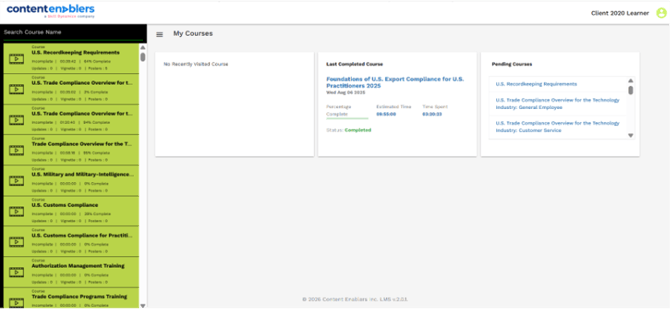
- The enrolled courses are listed on the left side of the page, with search options available to help learners quickly find specific modules.
- Under My Courses, learners can view recently visited courses, last completed courses, and pending courses.
Screenshot: Learner Home page
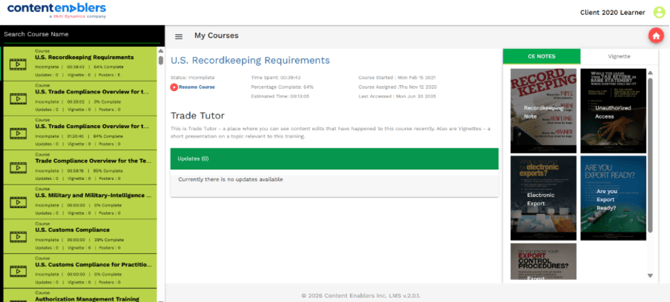
- To access a course, click the course name on the left to open the course start page. Selecting the Start icon launches the course in a new window.
- If a learner exits the course before completion, the Start button changes to Resume, allowing them to continue from where they left off.
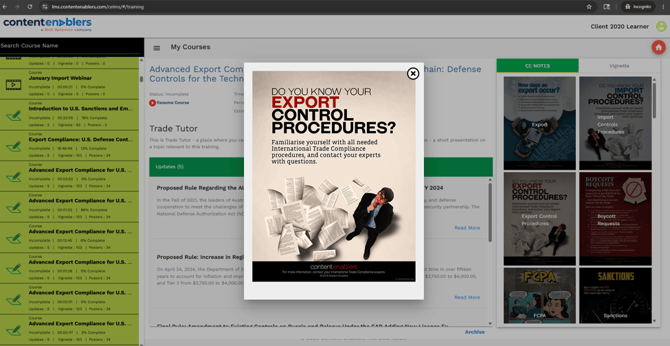
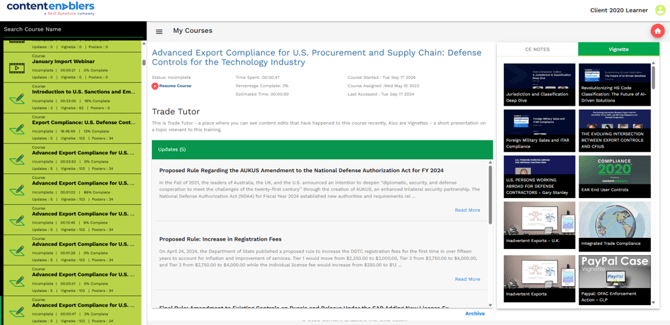
- Additionally, notes, vignettes, and course-related supplements are provided to support continuous learning and enhance the overall learning experience.
Screenshot: Learner course page
There are two types of learning modules available, each designed to engage learners and support continuous learning through different instructional approaches:
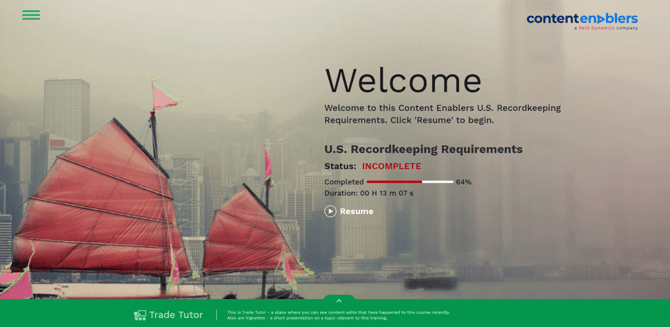
4. CE Legacy Courses – Traditional e-learning courses that provide comprehensive training content and structured learning experiences. 
Screenshot: Welcome page for CE Legacy Course
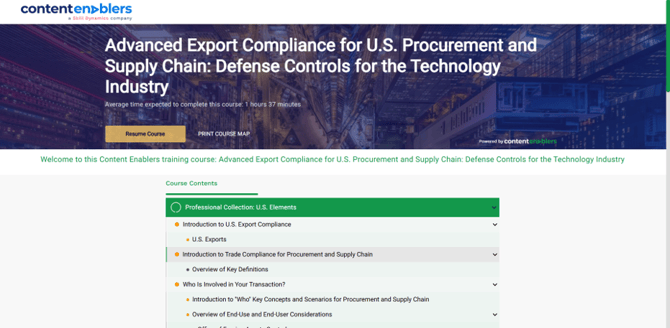
5. CE Author – Rapid Learning Modules – Short, focused learning modules designed for quick knowledge acquisition and enhanced learner engagement.

Screenshot: Welcome page for CE Author – Rapid Learning Modules Course
Screenshot: Interactive Notes Section on the Right.
Screenshot: Interactive Vignettes Section on the Right.
Common reasons you may not be able to continue
- Slow internet connection or browser prevents loading the course.
- Functionality may be affected by using an unsupported browser or disabled cookies and popups.
- Incomplete course topics; all the mandatory topics must be completed before continuing to the next topic or quiz.
- If the course is past the due date.
- In some cases the LMS requires a few minutes to synchronize completion and course progress. Please refresh the page and check it again.
If you still need help
Please contact Skill Dynamics Support at support@contentenablers.com and include the details below so the team can investigate quickly:
- Invitation email subject line
- Screenshot of the page or message shown
- Full name
- Work email address
- Company name
- Screenshot of the issue or error message
- Date and time the issue occurred
- Browser and device used