
Overview
Assignments, also referred to as Application-Based Tasks (ABTs), are learning activities that ask learners to demonstrate how they apply what they have learned in their current role. The learner completes and submits the assignment in the Learn module, and the manager reviews the submission and confirms whether it meets the required criteria.
The assignment remains in progress until the manager decision has been processed. If the assignment is approved, it is marked as completed. If it is not approved, the learner can review the feedback, complete another attempt, and resubmit.
Before you start
• Review the assignment requirements and expected deliverables before preparing your response.
• Learners are encouraged to discuss the assignment and expected outcome with their manager.
• A response can be entered directly in the assignment response area or uploaded as a Word or PDF file, depending on the assignment page.
• Once an assignment has been submitted, it remains under review until the manager decision is processed.
Learner: complete and submit an assignment
1. Open the assignment course. From your Learning Journey, locate the assignment course and select Start or Open.
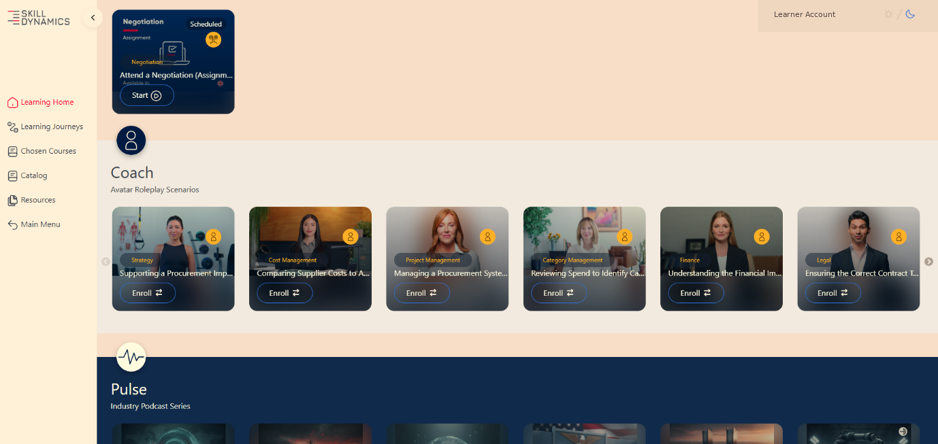
Screenshot: Example of an assignment course in the learner’s Learning Journey.
2. Review the assignment purpose and instructions. The assignment course first explains the purpose of the activity. Open the Assignment tab to review the detailed instructions and evaluation criteria.
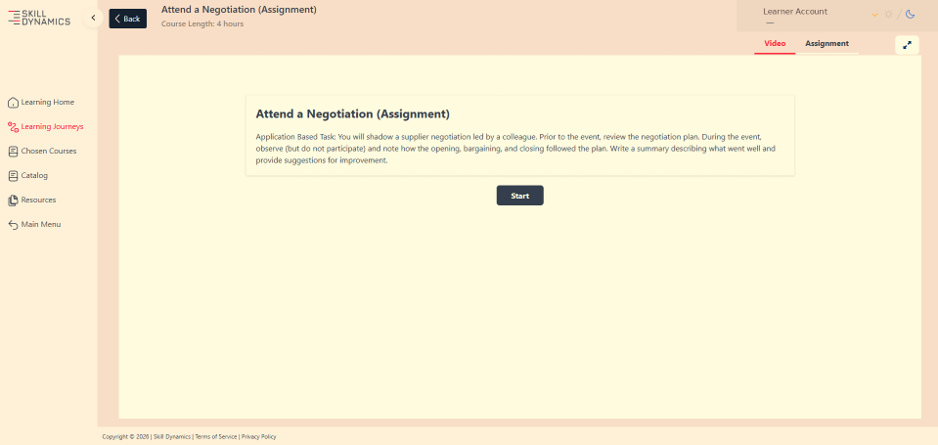
Screenshot: Assignment introduction page before opening the detailed instructions.
3. Prepare and submit your response. Follow the instructions provided. Enter your response directly where available, or upload the required Word or PDF document, then select Submit.
4. Check the submission status. After submission, the page confirms that the assignment was submitted successfully. The assignment can still show as In Progress or Pending Review while it is waiting for the manager decision.
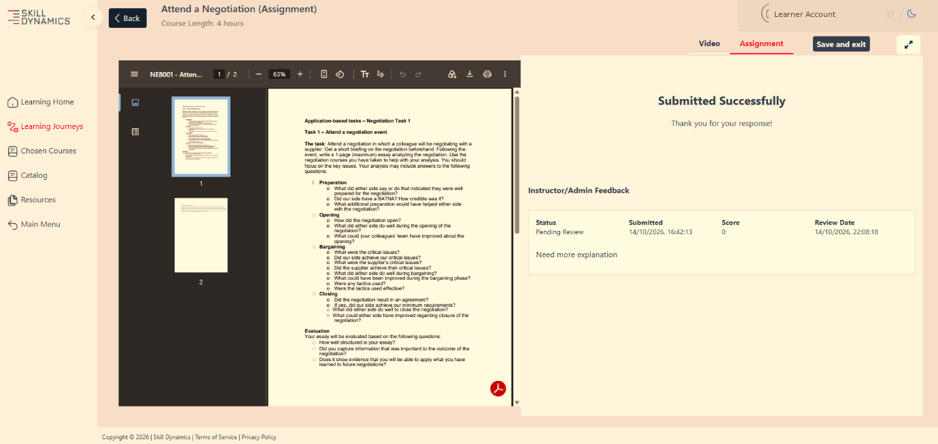
Screenshot: Submitted assignment showing a Pending Review status while manager approval is outstanding.
Manager: review the learner’s assignment
After the learner submits the assignment, the manager receives a review request with the learner submission and the information required to evaluate it. The manager may also discuss the assignment directly with the learner before confirming the outcome.
1. Review the learner submission. Check the assignment against the instructions and evaluation criteria provided with the review request.
2. Confirm the outcome. Reply to the approval request with Approved or Not Approved.
3. Provide clear feedback when a resubmission is required. If the assignment does not meet the required criteria, explain what the learner needs to improve before submitting another attempt.
What happens after the manager review?
If the assignment is approved
The assignment is updated as completed. The submission and approval are retained in the Learn module, and reporting reflects the completed assignment. The learner can also see the processed result and score on the assignment page.
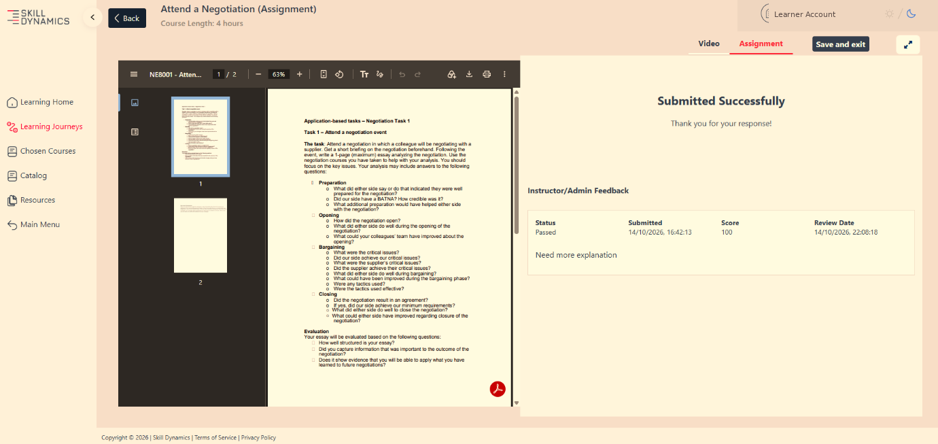
Screenshot: Example of a processed assignment showing a Passed status and score.
If the assignment is not approved
The learner can review the feedback and complete another attempt. The assignment is made available for resubmission so that a revised response can be submitted.
If a learner needs to replace a submission that has already been sent for review, the existing submission must first be returned before a new version can be uploaded.
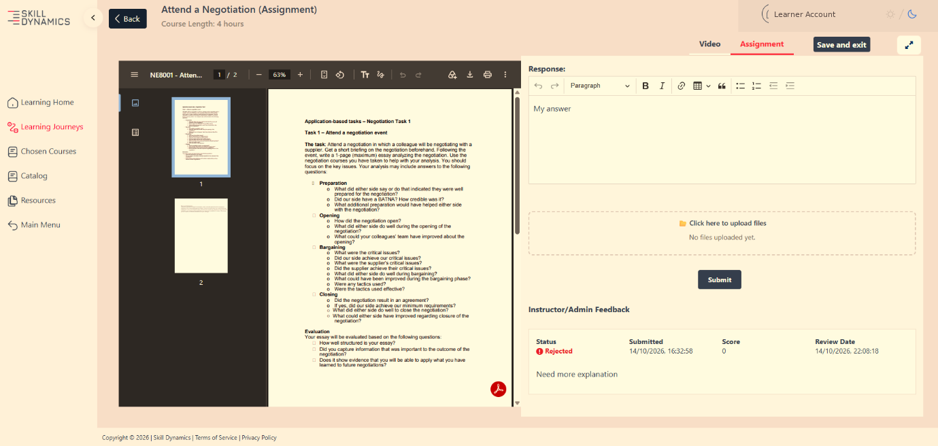
Screenshot: Example of a rejected assignment with feedback and the response area available for another attempt.
If the manager has not responded
While approval is pending, the assignment remains In Progress and the related competence remains incomplete in reporting. Reminder messages are sent to the manager. If there is still no response after the reminder cycle, the assignment remains In Progress until a manager decision is received. A later response can still be processed.
Frequently asked questions
Why does my assignment still show as In Progress after I submitted it?
Submission does not complete the assignment on its own. The assignment remains In Progress while it is waiting for manager review and approval.
Can I replace my answer after I have submitted the assignment?
Not while the submitted version is still under review. If a new version is required, the existing submission must first be returned so that the assignment can be submitted again.
What happens if my assignment is not approved?
Review the manager feedback, update your work, and submit a new attempt when the assignment is available again.
What should a manager do if the assignment does not meet the required criteria?
Confirm that the assignment is Not Approved and provide clear feedback so the learner understands what needs to be improved before resubmitting.
Where can I see the assignment result?
Once the manager outcome has been processed, the learner can open the assignment to view the status, feedback, and score where available.