
Overview
If your digital badge email was sent but you did not receive it, or if you lost the email, you can access the badge through Openbadges.me. Use the same email address that was used when the badge was issued.
Applies to
• Learners who were issued a digital badge but cannot find the badge email.
• Learners who need to access or share their badge from Openbadges.me.
Before you start
• Use the same email address that the badge was sent to.
• Check whether you already have an Openbadges.me Backpack account with that email address.
• If Support has not confirmed that a badge was issued, contact Support first.
Create or access your Openbadges.me Backpack account
1. Go to Openbadges.me. Open the Openbadges.me sign-in page.
2. Select Sign up for free if you do not already have an account. Choose the option to create a Backpack account.
3. Register with the same email address used for the badge. Fill in the registration form and use the email address to which the badge was issued.
4. Verify your email address. Check your inbox for the email confirmation message and follow the link to verify the account.
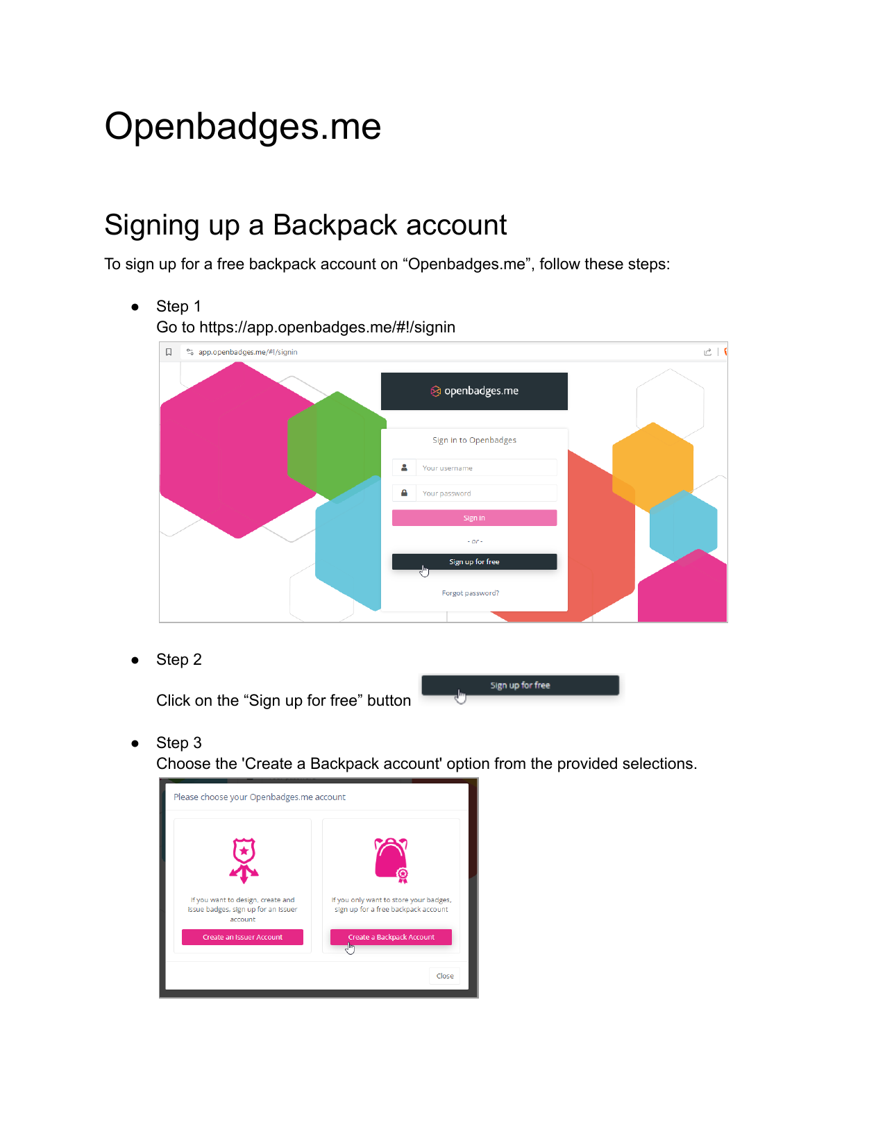
Screenshot: Openbadges.me sign-in and Backpack account selection steps.
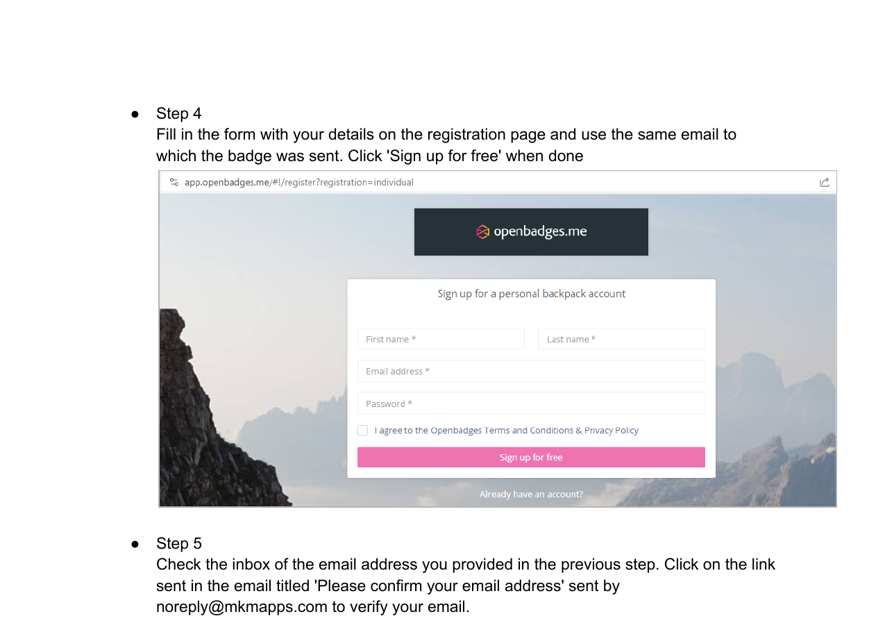
Screenshot: Openbadges.me registration and email verification steps.
Find and share your badge
1. Sign in to your Backpack account. Use your Openbadges.me username and password.
2. Open the Badges section. If you are not already on the Badges page, select Badges from the left-hand menu.
3. Select the badge you want to view. Use the badge card options to view your badge.
4. Use the Share section if you want to publish the badge. You can choose where to share the badge, including LinkedIn if available.
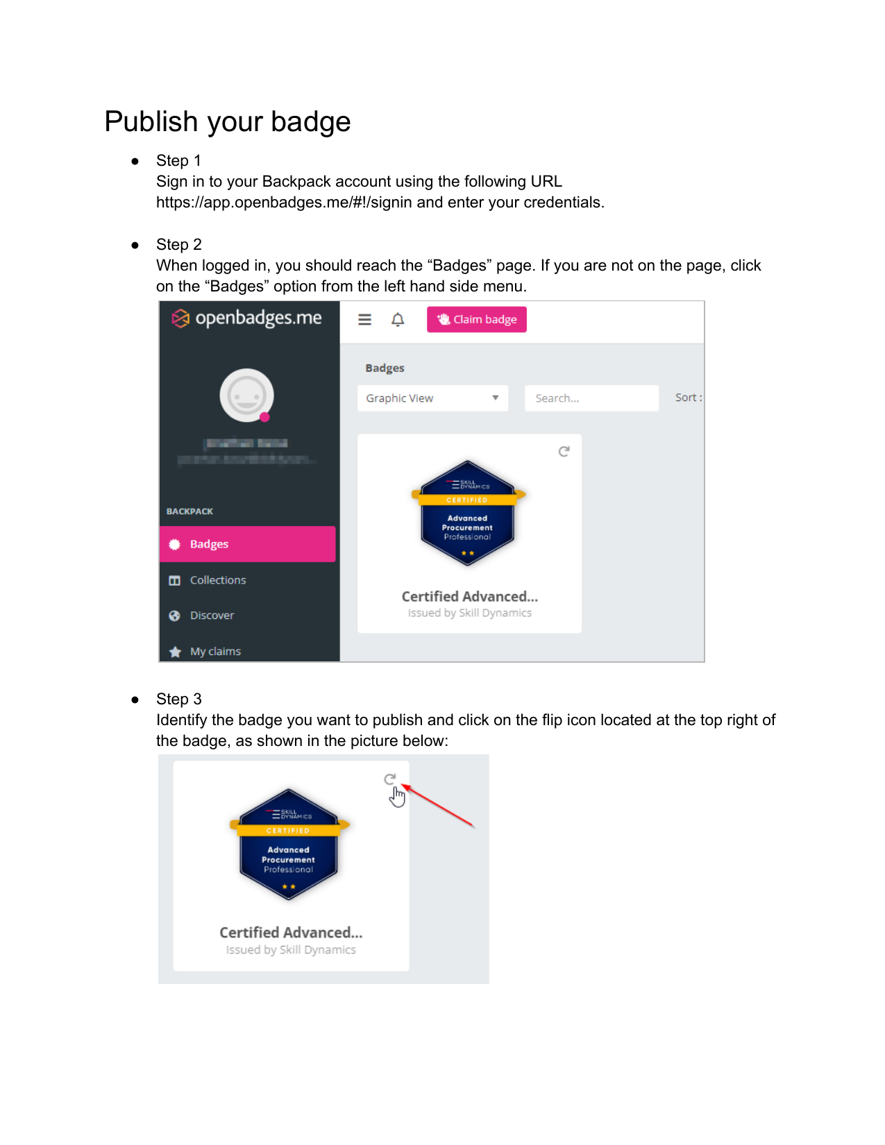
Screenshot: Openbadges.me Badges page and badge selection.
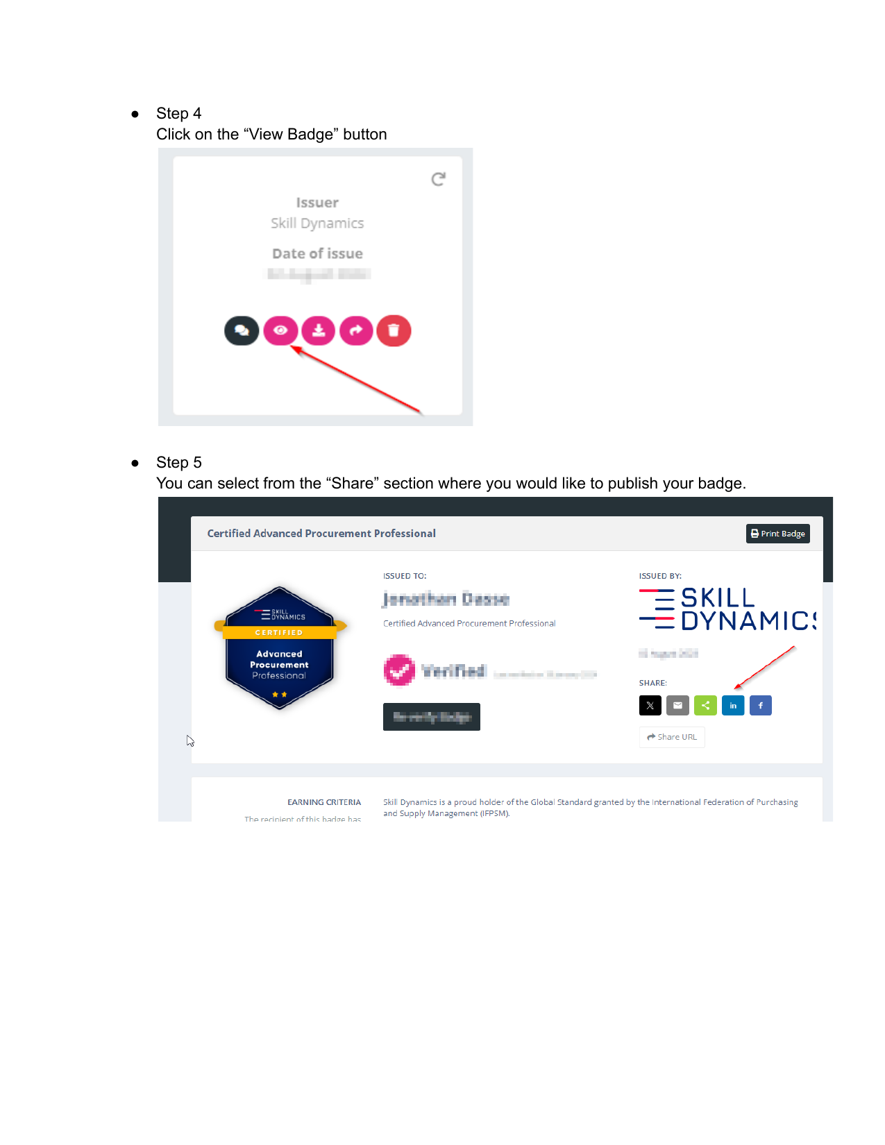
Screenshot: Openbadges.me badge view and sharing options.
What to do if the badge is not visible
• Confirm that you used the same email address that was used to issue the badge.
• Check that your Openbadges.me email address has been verified.
• Contact Skill Dynamics Support if the badge is still not visible.